Getting Started (5G Network with Radio Hardware)
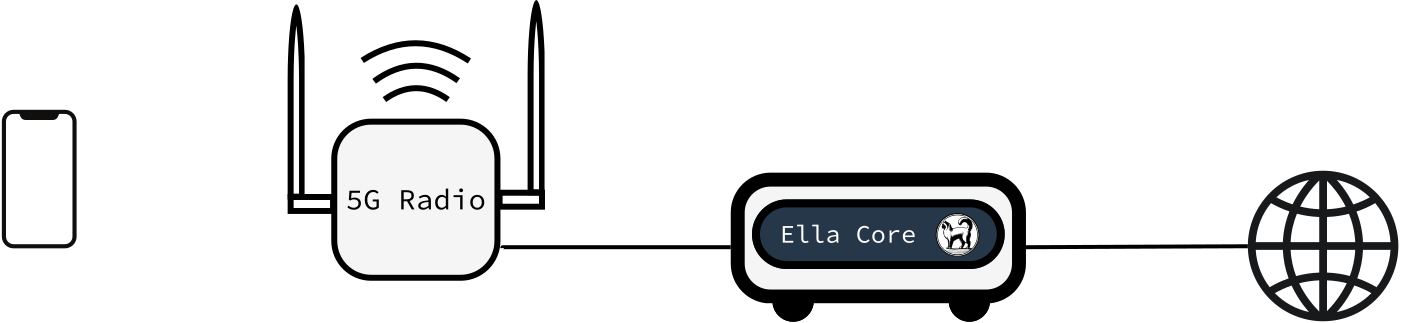
In this tutorial, we will deploy a complete end-to-end 5G network using Ella Core with a real 5G radio and user equipment. We will install Ella Core on bare metal using Snap, burn a SIM card, configure the network, and validate that a subscriber can connect and reach the internet.
You can expect to spend about 30 minutes completing this tutorial.
Pre-requisites
To complete this tutorial, you will need the following:
Computer
- A Linux machine running Ubuntu 24.04 LTS
- 2 network interfaces:
- One for the radio connection (N2/N3 — control and user plane)
- One for internet connectivity (N6 — data network) and the API/UI
- See the full system requirements
5G Equipment
SIM Card Provisioning
- Programmable SIM cards (e.g. Sysmocom sysmoISIM-SJA5)
- A SIM card reader/writer (e.g. HID OmniKey 3121)
- A SIM card programming tool (e.g. pySim) installed on your machine
1. Install Ella Core
Connect to the Linux machine where you will install Ella Core.
Install the Ella Core snap and connect the required interfaces:
sudo snap install ella-core
sudo snap connect ella-core:network-control
sudo snap connect ella-core:process-control
sudo snap connect ella-core:system-observe
sudo snap connect ella-core:firewall-control
Edit the configuration file:
sudo vim /var/snap/ella-core/common/config.yaml
Set the network interfaces to match your system. In this example, ens5 is connected to the radio and ens3 is connected to the internet:
logging:
  system:
    level: "info"
    output: "stdout"
  audit:
    output: "stdout"
db:
  path: "/var/snap/ella-core/common/data/core.db"
interfaces:
  n2:
    name: "ens5"
    port: 38412
  n3:
    name: "ens5"
  n6:
    name: "ens3"
  api:
    address: "0.0.0.0"
    port: 5002
xdp:
  attach-mode: "native"
Note
Replace ens5 and ens3 with the actual interface names on your machine. N2 and N3 should point to the interface connected to the radio. N6 should point to the interface connected to the internet. See the configuration reference for all available options.
Start Ella Core:
sudo snap start --enable ella-core.cored
2. Configure a Subscriber in Ella Core
Open your browser and navigate to https://<server-ip>:5002/ to access Ella Core's UI.
You should see the Initialization page.
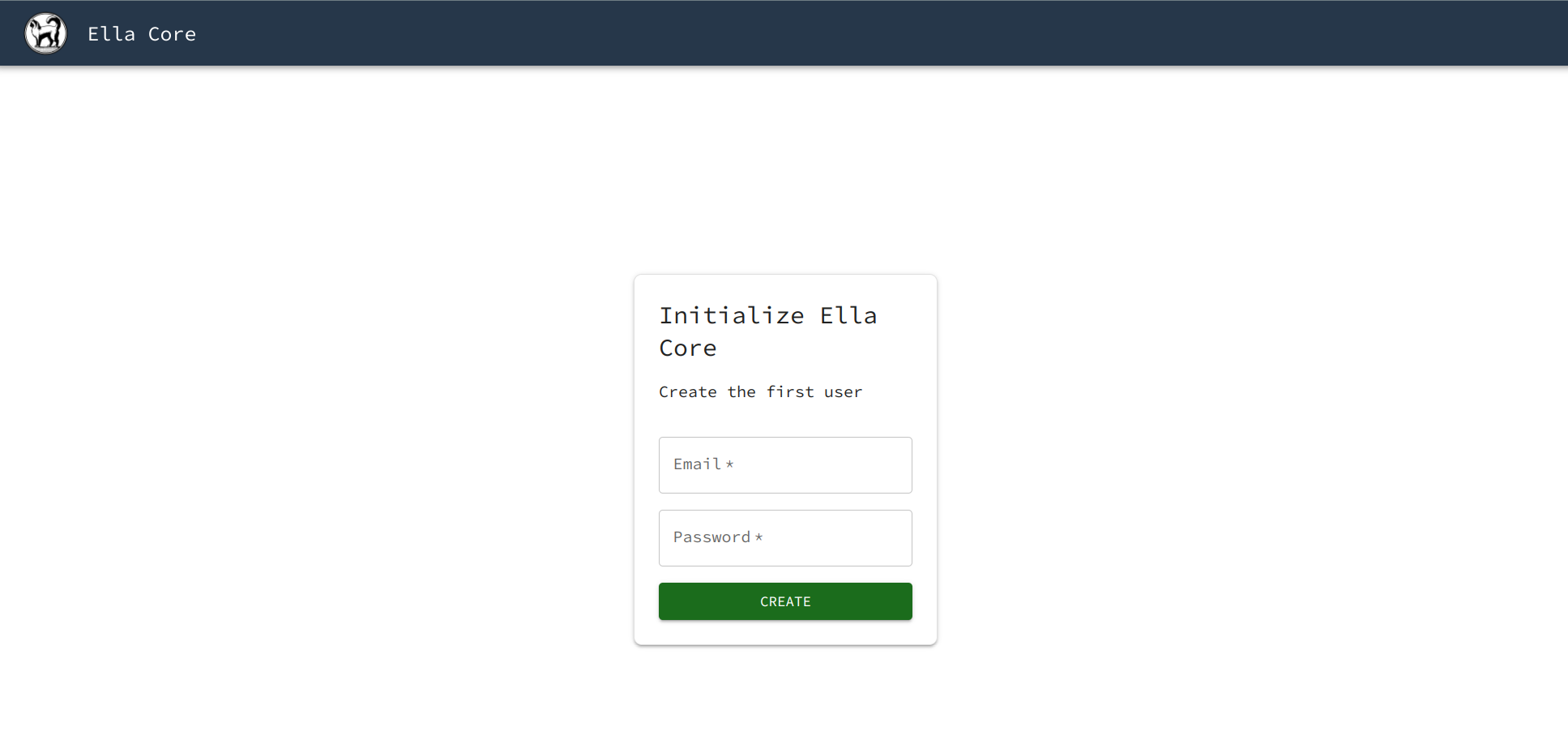
Create the first user with the following credentials:
- Email:
[email protected] - Password:
admin
Ella Core is now initialized. You will be redirected to the dashboard.
Navigate to the Subscribers page and click on the Create button.
Create a subscriber with the following parameters:
- IMSI: Click on the
Generatebutton to create a random IMSI - Key: Click on the
Generatebutton to create a random key - Sequence Number: Keep the default value
- Policy: Keep the default value
Take note of the IMSI, Key, and OPC values. You will need them to burn the SIM card.
3. Burn the SIM Card
Insert a blank programmable SIM card into your card reader.
Use pySim to program the SIM card with the subscriber credentials from the previous step. Replace the IMSI, KEY, and OPC values below with the ones you noted:
export IMSI=<your IMSI from step 2>
export KEY=<your Key from step 2>
export OPC=<your OPC from step 2>
export MCC=001
export MNC=01
export ADMIN_CODE=<Your SIM card vendor admin code>
./pySim-prog.py -p0 -n Ella -t sysmoISIM-SJA5 -i $IMSI -c $MCC -x $MCC -y $MNC -o $OPC -k $KEY -a $ADMIN_CODE -j 1
Note
The MCC and MNC values match Ella Core's Operator configuration.
Note
The ADMIN_CODE is specific to your SIM card vendor.
Note
Some devices (e.g. iPhones) require additional SUCI configuration on the SIM card. See Managing SIM Cards for details.
Insert the programmed SIM card into your user equipment.
4. Connect the Radio
Configure your 5G radio to connect to Ella Core. You will need to set:
- AMF Address: The IP address of your radio interface. Run
ip addr show ens5to find it (replaceens5with your radio interface name). - PLMN ID:
001-01(MCC-MNC matching Ella Core's Operator configuration) - TAC:
000001(TAC matching Ella Core's Operator configuration) - SST/SD:
1/102030(Slice configuration matching Ella Core's Operator configuration)
Power on the radio. For detailed instructions, see Integrate with a Radio.
In the Ella Core UI, navigate to the Radios page. You should see your radio appear as connected.
5. Connect the User Equipment
Power on the user equipment with the programmed SIM card inserted.
Set the APN to internet (matching Ella Core's default Data Network).
The device should automatically search for and connect to your network.
In the Ella Core UI, navigate to the Subscribers page. You should see that your subscriber has been assigned an IP address, confirming a successful PDU session establishment.
From the user equipment, try to access the internet (e.g. open a web browser and navigate to any website, or ping an external address).
Success
Congratulations! You have deployed a complete end-to-end 5G network with real hardware. Your subscriber is connected through Ella Core and can reach the internet.